
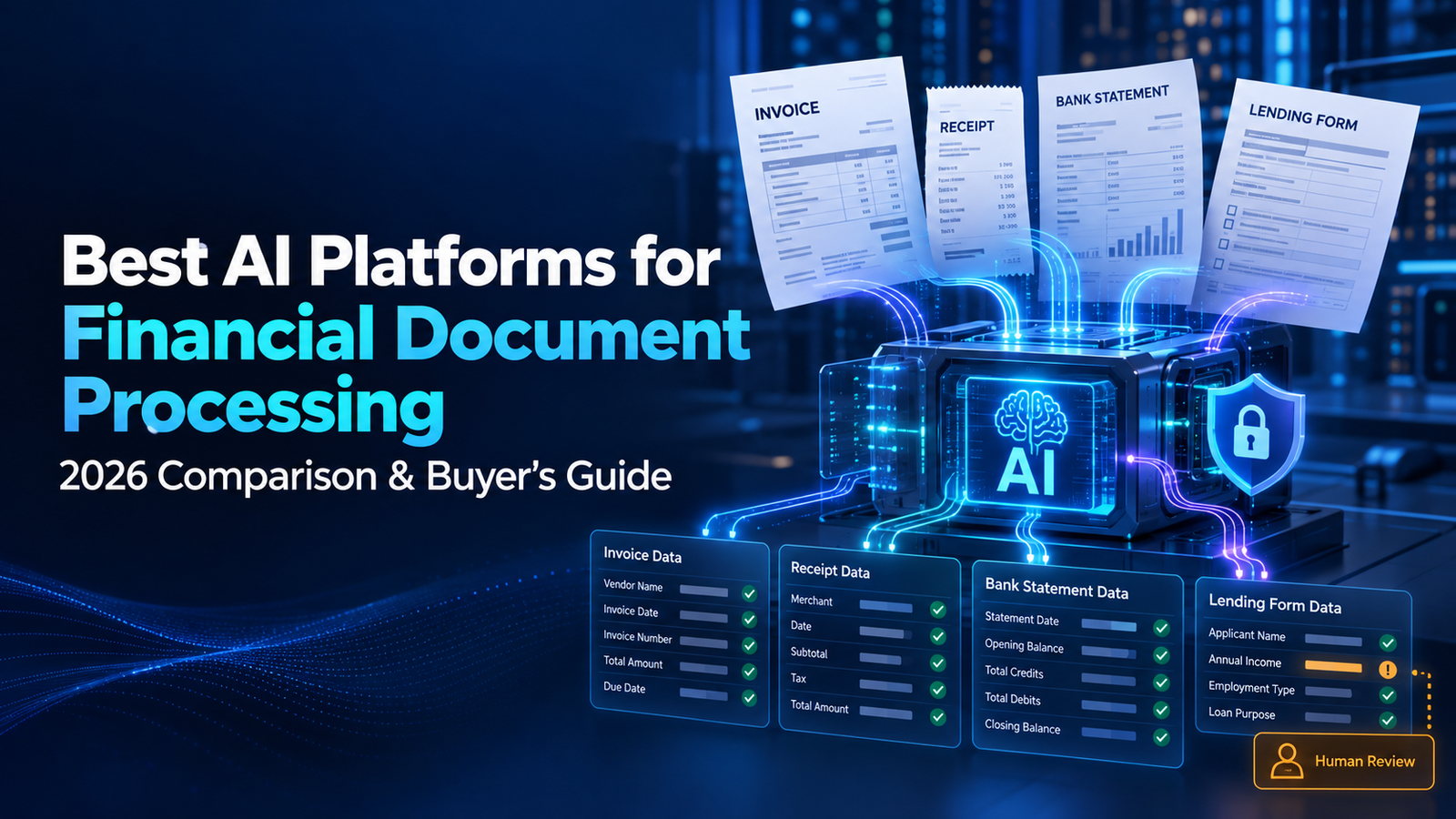
Financial teams process information that was designed for people, not systems. Invoices arrive as PDFs and email attachments. Receipts are photographed from different angles. Bank statements vary by institution. Lending packages combine applications, payslips, tax records, identification and property documents. Even when a document is digital, the important data may be locked inside tables, handwriting or inconsistent layouts.
AI document processing turns those files into structured, validated data that accounting, ERP, loan-origination, claims, compliance and analytics systems can use. The strongest platforms now go beyond basic optical character recognition. They classify documents, extract fields and line items, normalise values, apply business rules, identify low-confidence results, route exceptions to people and pass approved data into downstream workflows.
But the products in this market are not interchangeable. Amazon Textract, Azure AI Document Intelligence and Google Cloud Document AI are primarily developer-oriented cloud services. Rossum focuses strongly on transactional documents and accounts payable. UiPath connects document understanding with robotic process automation. ABBYY and Hyperscience target broad enterprise intelligent document processing. Nanonets provides configurable extraction and workflow automation, while Doxis AI.dp combines document capture with verification and fraud-oriented capabilities.
This guide compares nine leading platforms using public product documentation and pricing information available in October 2026.
Important: No platform should be selected using a vendor’s headline accuracy claim alone. Test it on your own document mix, languages, scan quality, handwritten content and exception cases. Measure field-level accuracy and straight-through processing separately.
Best financial document-processing platforms at a glance
| Platform | Best for | Financial-document strengths | Human validation | Deployment style | Public pricing approach |
|---|---|---|---|---|---|
| Azure AI Document Intelligence | Microsoft and Azure development teams | Prebuilt invoice extraction, custom models, tables and line items | Build through Azure/Power Platform workflow | Azure cloud API | Free and pay-as-you-go tiers; commitment pricing for volume |
| Google Cloud Document AI | Broad financial document coverage | Invoice, expense, bank statement, payslip, W-2, lending and custom processors | Available through application/workflow design | Google Cloud managed service | Per page or per classified document |
| Amazon Textract | AWS-native applications and lending | Expense, forms, tables, queries, identity and lending APIs | Custom workflow required | AWS managed API | Usage-based per page/API |
| UiPath Document Understanding | End-to-end automation and RPA | Invoices, receipts, purchase orders, bank statements and custom document types | Native validation workflows | UiPath cloud or Automation Suite options | Platform/AI-unit consumption and plan licensing |
| ABBYY Vantage | Enterprise multilingual document capture | Financial document skills, classification, extraction and validation | Built-in validation capabilities | Enterprise cloud/private options; confirm edition | Custom quote |
| Rossum | Accounts payable and transactional documents | Template-free invoice capture, validation and AP workflows | Exception review interface | Cloud platform | Starter listed from $18,000/year; volume and workflow based |
| Hyperscience | High-volume regulated operations | Structured, semi-structured and handwritten document processing | Human-in-the-loop machine learning | Enterprise deployment; confirm architecture | Custom quote |
| Nanonets | Mid-market finance automation and fast deployment | Invoice OCR, approvals, rules and integrations | Review and approval workflows | Cloud/API platform | Workflow runs multiplied by block prices |
| Doxis AI.dp | Verification and varied document types | OCR, classification, extraction, verification, anonymisation and fraud signals | Configurable review workflows | API/platform deployment | Volume, workflow and subscription based |
What financial document processing actually includes
The term can describe anything from reading an invoice number to automating an entire lending file. Separate your requirements into layers before comparing vendors.
Capture and preparation
The system receives files from email, scanner, upload portal, shared drive, API or mobile application. It may rotate images, improve contrast, separate multi-document files and detect duplicates.
Classification
A package might contain an invoice, purchase order, bank statement, tax form and identification document. Classification identifies each type and can split a combined PDF into individual records.
Extraction
The model extracts header fields, line items, tables, signatures, checkboxes and relationships. For an invoice, this can include supplier, invoice number, date, tax, currency, total, purchase-order reference and individual products.
Normalisation and validation
Dates, currencies, addresses and identifiers must be converted to consistent formats. Business rules can check whether totals reconcile, a purchase order exists, a bank account matches the supplier master or a tax identifier has a valid structure.
Human review
Low-confidence or high-risk records should be routed to an authorised reviewer. Corrections should be logged and, where supported, used to improve future processing.
Integration and audit
Approved data moves to ERP, accounting, loan-origination, document management or analytics systems. The organisation needs a trace showing the source document, extracted value, confidence, correction and final action.
How we evaluated the platforms
The comparison considers:
- support for invoices, receipts, bank statements, payslips, lending and tax-related documents;
- prebuilt models as well as custom extraction;
- tables and line-item recognition;
- classification and document splitting;
- human validation and exception handling;
- APIs, integrations and workflow orchestration;
- deployment, data residency and enterprise governance options;
- pricing transparency and cost predictability;
- suitability for developers, finance teams and large operations.
The order is an editorial guide rather than an absolute ranking. A cloud API may be ideal for a product engineering team but unsuitable for an accounts-payable department expecting a ready-to-use approval workspace.
1. Microsoft Azure AI Document Intelligence — best for Azure and Microsoft environments
Azure AI Document Intelligence extracts text, layout, tables and structured fields through prebuilt and custom models. The prebuilt invoice model supports sales invoices, utility bills and purchase orders, including key fields and line items.
Microsoft offers a free F0 tier for initial testing and a standard pay-as-you-go model. Large workloads can use commitment-based pricing. Exact rates vary by region, processor and contract, so the Azure calculator should be used for a production estimate.
Key strengths
- prebuilt invoice and receipt capabilities;
- custom template and neural extraction options;
- handwriting, tables and document-layout analysis;
- integration with Azure services, Power Automate and Microsoft identity;
- attractive for developers already operating in Azure.
Limitations
Document Intelligence is an extraction service rather than a complete finance application. Your team or implementation partner must build ingestion, validation, duplicate detection, approval, ERP posting, monitoring and user experience around it.
Best fit
Organisations using Azure, Dynamics 365, Microsoft 365 or Power Platform that want a configurable document-intelligence layer inside a broader solution.
2. Google Cloud Document AI — best range of prebuilt financial processors
Google Cloud Document AI combines enterprise OCR, pretrained processors and Workbench for custom extraction. Its financial-document coverage is a differentiator.
Google publicly documents processors for invoices, expenses, bank statements, payslips and W-2 forms, as well as lending splitters and classifiers. The invoice parser can extract up to 46 common entities, including supplier, invoice amount, tax, due date and line items. The bank-statement parser extracts account information and transaction-related tables.
Public pricing is processor-specific. At the time of review, invoice and expense parsers started at $0.10 per document count with lower volume tiers, bank-statement parsing was $0.75 per classified document, and payslip and W-2 parsing were $0.30 per classified document. Enterprise OCR was listed at $1.50 per 1,000 pages for the first volume tier.
Key strengths
- unusually broad set of prebuilt finance processors;
- classification, splitting, extraction and normalisation;
- custom extractors through Document AI Workbench;
- integration with BigQuery and Google Cloud data services;
- clear public usage pricing for many processors.
Limitations
Different processors use different pricing units, and availability can vary by region. As with Azure and AWS, workflow, exception handling and downstream integration may require development.
Best fit
Lenders, fintech platforms and enterprises processing several financial document classes rather than invoices alone.
3. Amazon Textract — best for AWS-native document applications
Amazon Textract is a managed document-analysis service for extracting printed text, handwriting, forms, tables, signatures and query-based fields.
Its Analyse Expense API processes invoices and receipts and returns standardised summary fields and line-item groups. The Analyse Lending API can classify and extract information from mortgage-related packages. Other APIs handle general text, forms, tables, layout and identity documents.
AWS charges by pages and selected API features. Its public page provides a three-month free tier for new AWS customers, including monthly allowances for text, forms/tables, expense, identity and lending analysis. For basic text extraction, AWS provides an example of 100,000 pages at $0.0015 per page in US West, totalling $150; richer features cost more.
Key strengths
- strong alignment with AWS storage, events and serverless architecture;
- specific APIs for expense and lending documents;
- synchronous and asynchronous processing;
- standardised invoice/receipt taxonomy across varied layouts;
- usage-based pricing with no upfront commitment for the API.
Limitations
Textract returns extraction results, not a finished finance workflow. Human review, rules, reconciliation, supplier matching and ERP integration must be designed separately.
Best fit
AWS engineering teams building lending, expense, accounts-payable or financial onboarding applications.
4. UiPath Document Understanding — best for document processing plus RPA
UiPath Document Understanding combines digitisation, classification, extraction and human validation with UiPath’s automation platform.
UiPath provides models and document types for invoices, receipts, purchase orders and other semi-structured documents such as bank statements and utility bills. It is especially useful when extracted information must trigger actions in legacy desktop software that does not offer a reliable API.
Under UiPath’s current unified pricing documentation, modern Document Understanding projects consume 0.2 Platform Units per page, regardless of the runtime operations performed on that page. Flex Plan charging uses AI Units, and classic-project rules can differ. Organisations should confirm the current licensing model with UiPath.
Key strengths
- document extraction and RPA in one ecosystem;
- native validation and action-centre workflows;
- prebuilt and trainable models;
- useful for legacy ERP and desktop processes;
- broad orchestration and operational monitoring.
Limitations
Licensing involves platform plans and consumption units and may be harder to model than a simple per-page API. UiPath can also be excessive when the requirement is only to extract a few invoice fields.
Best fit
Enterprises already using UiPath or needing to connect documents with desktop, mainframe and multi-application workflows.
5. ABBYY Vantage — best for mature enterprise document capture
ABBYY Vantage is an intelligent document-processing platform built on ABBYY’s long experience in OCR and document capture. It provides reusable “document skills” for classifying and extracting information.
For finance and accounting, ABBYY highlights invoice and financial-document capture, recognition, extraction and validation, with output delivered to ERP, RPA or enterprise content-management systems. Its financial-services materials include skills for documents such as remittance advice, bank statements, tax forms and customer-onboarding records.
Key strengths
- mature OCR and multilingual document expertise;
- prebuilt skills plus trainable document models;
- classification, extraction and validation;
- support for enterprise content and automation ecosystems;
- appropriate for varied, high-volume document estates.
Limitations
Pricing is quote-based and implementation may involve specialist partners. Buyers should confirm which skills, languages, validation stations and deployment options are included in the proposed edition.
Best fit
Large enterprises, shared-service centres and multinational finance operations processing varied document types and languages.
6. Rossum — best purpose-built platform for accounts payable
Rossum focuses on transactional document automation, particularly invoices and accounts-payable workflows. Rather than requiring a template for every supplier layout, its platform is designed to capture data from varied documents and route uncertain results for review.
Rossum combines email/document intake, extraction, validation, business rules, communication and downstream integration. This is a different buying proposition from a raw OCR API: the finance team receives an operational workspace rather than only JSON output.
The public pricing page lists a Starter plan beginning at $18,000 per year. Final pricing depends on document or page volume, workflow complexity, integrations and add-ons.
Key strengths
- specialised invoice and transactional-document workflow;
- template-free extraction approach;
- exception-handling and validation interface;
- business rules and ERP integration;
- suitable for finance-team ownership.
Limitations
The annual starting point can be too high for small invoice volumes. It is strongest for AP and transactional documents, while a cloud document API may offer broader building blocks for a highly custom lending application.
Best fit
Mid-sized and large accounts-payable teams seeking a packaged document workflow rather than developing one from cloud components.
7. Hyperscience — best for high-volume regulated operations
Hyperscience is an enterprise intelligent document-processing platform for structured, semi-structured and unstructured files, including typed and handwritten documents.
Its approach combines machine processing with human-in-the-loop review. Hyperscience positions the platform for banking and financial-services processes such as mortgage processing, account opening, servicing and loan operations.
Key strengths
- high-volume enterprise document processing;
- structured, semi-structured and unstructured content;
- printed and handwritten text;
- human review for exceptions and model improvement;
- focus on regulated financial operations.
Limitations
Pricing is not publicly itemised and the enterprise implementation may require significant process design, integration and change management. It is unlikely to be economical for a small company automating a few hundred invoices.
Best fit
Banks, insurers, lenders and large regulated organisations with high document volume, complex exceptions and strict operational control.
8. Nanonets — best for rapid mid-market finance automation
Nanonets provides document extraction, workflow automation, validation and integration for processes such as accounts payable, order processing and underwriting.
Its invoice products extract standard fields and line items, while workflows can apply rules, request approval and connect results to downstream systems. Nanonets’ API also makes it suitable for teams embedding extraction inside an application without building model infrastructure.
Current pricing is based on workflow runs multiplied by the price of blocks used. Nanonets notes that a typical invoice-processing workflow can use four to six blocks per document. That makes it important to price the entire process rather than only the OCR stage.
Key strengths
- fast setup for invoices and common business documents;
- configurable rules and approval workflows;
- API and no-code/low-code options;
- useful finance integrations;
- approachable for mid-market teams.
Limitations
Block-based workflow pricing can be difficult to estimate without a real process map. Buyers should calculate extraction, validation, matching, approval and export blocks at expected volume.
Best fit
Growing finance and operations teams that want more than an API but do not need a large enterprise IDP programme.
9. Doxis AI.dp — best for extraction plus verification
Doxis AI.dp, previously known as Klippa DocHorizon, is an intelligent document-processing platform offering OCR, classification, conversion, extraction, anonymisation, verification and fraud-detection workflows.
The platform supports more than 50 out-of-the-box document types across financial, identity, logistics and other categories. It can return formats including JSON, XML, CSV, XLSX and PDF, making it useful for both application integration and operational exports.
Key strengths
- extraction combined with verification-oriented capabilities;
- broad document-type support;
- fraud signals and document-authenticity use cases;
- flexible output formats;
- useful for onboarding, expenses and financial applications.
Limitations
Pricing is based on volume, workflow complexity and subscription arrangement rather than a simple public API rate. Because the product was recently rebranded, buyers should confirm current documentation, support arrangements and contract names.
Best fit
Fintech, accounting software, onboarding and expense platforms that need document verification as well as extraction.
Which platform should you shortlist?
| Your main requirement | Start with | Also evaluate |
|---|---|---|
| Azure or Microsoft-native solution | Azure AI Document Intelligence | UiPath |
| Broad prebuilt finance document types | Google Document AI | ABBYY Vantage |
| AWS-native invoice or lending application | Amazon Textract | Nanonets |
| Accounts-payable workflow | Rossum | Nanonets or ABBYY |
| Legacy desktop and ERP automation | UiPath | ABBYY |
| High-volume banking operations | Hyperscience | ABBYY or UiPath |
| Mid-market, fast implementation | Nanonets | Rossum |
| Verification and fraud-oriented workflow | Doxis AI.dp | Google Document AI |
| Custom product built by developers | Azure, Google or AWS | Nanonets API |
Financial documents these platforms can process
Capabilities differ by platform and may require prebuilt, custom or partner models.
| Document type | Common fields and checks |
|---|---|
| Invoices | Supplier, invoice number, PO, dates, currency, tax, totals and line items |
| Receipts and expenses | Merchant, date, category, currency, tax and total |
| Bank statements | Account holder, account number, period, opening/closing balance and transactions |
| Payslips | Employer, employee, pay period, gross pay, deductions and net pay |
| Tax documents | Taxpayer identifiers, income, withholding and reporting periods |
| Purchase orders | Supplier, PO number, items, quantity, price and delivery terms |
| Remittance advice | Payer, invoices covered, paid amount, adjustments and reference numbers |
| Lending packages | Application, assets, income, liabilities, appraisal, credit and supporting evidence |
| Financial statements | Reporting period, account labels, balances and tables |
| KYC/onboarding files | Identity data, address, proof of income and document-validity indicators |
How to measure extraction accuracy properly
“Up to 99% accuracy” is not a useful procurement metric without a definition.
Measure at field level
Evaluate exact values for supplier, invoice number, currency, total, tax and line items. A document can look successfully processed while one high-impact digit is wrong.
Weight fields by business risk
An error in a description may be tolerable; an error in bank account, amount, tax identifier or payment reference may be critical. Establish separate acceptance thresholds.
Measure straight-through processing
Track the percentage of documents completed without human correction. High field accuracy can still produce a low touchless rate when every document contains at least one uncertain field.
Test representative documents
Include:
- clean digital PDFs;
- low-resolution scans and mobile photos;
- multiple languages and currencies;
- handwritten annotations;
- multi-page and multi-document files;
- unseen supplier layouts;
- duplicates and altered documents;
- tables with merged cells;
- credit notes and negative amounts.
Keep a protected evaluation set
Do not train repeatedly on every test document. Maintain an unseen set for fair release testing and compare performance after model, prompt or rule changes.
Security and compliance questions for vendors
Financial documents may contain account numbers, salaries, tax identifiers, signatures and personal information. Ask:
- Where is document data processed and stored?
- Which regions and data-residency options are available?
- Is customer data used to train shared models?
- How long are original files, extracted data and logs retained?
- Can retention be configured or disabled?
- Is data encrypted in transit and at rest?
- How are encryption keys managed?
- Are role-based access, SSO and audit logs available?
- Can sensitive fields be masked from reviewers?
- How are subcontractors and model providers controlled?
- Which current certifications and independent audit reports can be supplied?
- How are deletion, access and data-subject requests handled?
- Can the system detect duplicates or suspicious document manipulation?
- What happens when confidence falls below the required threshold?
- Can every posted value be traced to its original page and location?
Certifications support due diligence but do not make a workflow compliant automatically. Your access controls, retention, integrations and reviewer behaviour also matter.
How to calculate total cost
Include more than the vendor’s extraction rate:\[ \text{Monthly cost} = \text{processing fees} + \text{model or AI fees} + \text{review labour} + \text{workflow/integration cost} + \text{infrastructure} + \text{support} \]
Build estimates for average and peak months using:
- documents and pages per month;
- average pages per document;
- percentage requiring classification or splitting;
- processors or extractors called per page;
- percentage routed for human review;
- average review time;
- API, storage and data-transfer charges;
- workflow/RPA consumption;
- environments, seats, SSO and log retention;
- implementation and ongoing model maintenance.
A platform with a higher extraction charge can have a lower total cost if it substantially reduces exception review. Conversely, a low-cost OCR API can become expensive when engineering and operations must build every surrounding capability.
A practical proof-of-concept plan
Step 1: Define one bounded workflow
Choose a process such as supplier invoices, not “all finance documents.” Document the current volumes, turnaround time, manual effort and error cost.
Step 2: Prepare representative samples
Use enough variation to expose real problems. Remove or protect sensitive data according to internal policy and contractual controls.
Step 3: Define the target schema
Specify field names, formats, required fields, line-item structure and downstream-system requirements.
Step 4: Establish acceptance thresholds
Set field-level accuracy, straight-through rate, maximum review time, latency and cost per document.
Step 5: Test workflow controls
Include duplicates, missing PO numbers, total mismatches, invalid tax IDs, supplier-bank changes and unreadable pages.
Step 6: Run a blind evaluation
Test on documents that were not used for configuration. Record every correction and calculate results consistently across vendors.
Step 7: Validate integration and audit
Prove that approved data can reach the target system safely, failures enter a queue, and reviewers can trace every field to the source.
Common implementation mistakes
- selecting a platform using only OCR accuracy;
- using a generic LLM without deterministic validation;
- automating payment before supplier and bank-detail controls exist;
- ignoring line-item extraction during the proof of concept;
- testing only clean sample invoices;
- forcing every document through human review;
- using confidence scores without calibration;
- failing to monitor layout and supplier changes;
- not separating extraction errors from business-rule exceptions;
- overlooking storage, token, RPA and review costs;
- allowing sensitive documents to remain in logs indefinitely;
- launching without an exception owner and service-level target.
Frequently asked questions
What is the best AI platform for financial document processing?
Google Document AI offers broad prebuilt financial-document coverage. Azure and AWS are strong choices for teams building within their respective clouds. Rossum is compelling for accounts payable, UiPath for document-plus-RPA automation, and Hyperscience or ABBYY for large enterprise IDP programmes.
What is the difference between OCR and intelligent document processing?
OCR converts visible characters into machine-readable text. Intelligent document processing adds classification, field extraction, relationships, normalisation, validation, human review and workflow integration.
Can AI process bank statements?
Yes. Google offers a prebuilt bank-statement parser, while several enterprise and specialist platforms support bank statements through prebuilt or configurable models. Test transaction tables and institution-specific layouts carefully.
Can these platforms process Indian invoices?
Several platforms support invoices across regions and languages. UiPath documents an India invoice model, and cloud/custom platforms can be configured for GST-related fields. Verify GSTIN, HSN/SAC, CGST, SGST, IGST, place of supply and e-invoice references on real samples.
Should financial documents be processed with a general-purpose LLM?
An LLM can assist with classification, interpretation and unusual layouts, but high-risk financial extraction should include structured outputs, deterministic rules, confidence thresholds, reconciliation and human approval. A model response alone is not a payment control.
How much does financial document AI cost?
Cloud APIs may charge per page or document. Workflow platforms may charge by blocks, platform units, annual volume or enterprise contracts. Total cost depends heavily on review rate and integration complexity.
How long does implementation take?
A bounded API proof of concept may take several weeks. A production finance process usually takes longer because supplier matching, approval rules, ERP integration, security, user testing and change management must be completed.
Can AI document processing detect fraud?
Some products provide manipulation, duplication, identity or authenticity signals. These indicators can support a fraud programme but should not be treated as a final fraud decision without additional data and review.
Final recommendation
Start with the problem category:
- choose Azure, Google or AWS when developers are building a custom application in that cloud;
- choose Rossum or Nanonets when finance teams need an operational invoice workflow;
- choose UiPath when documents must connect with desktop automation and broader RPA;
- choose ABBYY or Hyperscience for large, varied and regulated document estates;
- choose Doxis AI.dp when verification and fraud-oriented document checks are important.
Shortlist no more than three platforms and test them on the same protected dataset. The winning system is not the one that extracts the most fields in a demonstration. It is the one that produces reliable, auditable data at an acceptable total cost while routing uncertainty to the right person.
If you need help defining the use case, evaluation dataset or implementation roadmap, explore AI consulting services or contact AI Growth Circuit.
Sources and verification notes
Product information and public pricing were checked on 14 October 2026. Features, prices, regions and licensing can change. Vendor-reported capabilities should be independently validated during a proof of concept.
- Azure AI Document Intelligence, invoice model documentation and pricing
- Google Cloud Document AI, pretrained processors and pricing
- Amazon Textract, invoice and receipt documentation and pricing
- UiPath Document Understanding documentation, invoice model and metering
- ABBYY Vantage and financial-services solutions
- Rossum and Rossum pricing
- Hyperscience IDP and financial-services solution
- Nanonets, invoice OCR and pricing
- Doxis AI.dp